Warehouse
The Warehouse module is the foundation of inventory management in AutoCRM. It provides a single source of truth about what you have (products), where it is (warehouses, positions), and how much it's worth (valuation).
Key Features
- Multi-warehouse support - Manage unlimited storage locations
- Position-based storage - Precise location tracking (aisles, shelves)
- Serial number tracking - Trace individual units
- Inventory valuation - Track cost prices for reporting
Core Terminology
| Term | Description | Entity |
|---|---|---|
| Warehouse | Physical or logical storage location | Warehouse |
| Warehouse Position | Specific location within warehouse (aisle, shelf) | WarehousePosition |
| Warehouse Item | Stock ledger entry - links product to warehouse with quantity | WarehouseItem |
| Goods Receipt | Inbound transaction adding stock (from supplier, production) | GoodsReceipt |
| Goods Issue | Outbound transaction removing stock (sale, consumption) | GoodsIssue |
| Warehouse Transfer | Moving stock between warehouses or positions | WarehouseTransfer |
| Goods Restock | Requests for stock replenishment | GoodsRestock |
| Issued Delivery Note | Shipping document - generates goods issue | IssuedDeliveryNote |
| Received Delivery Note | Receipt document - generates goods receipt | ReceivedDeliveryNote |
| Physical Inventory | Physical stock count and system adjustment | PhysicalInventory |
Accessing the Module
Find the Warehouse module in the left menu under Work section.
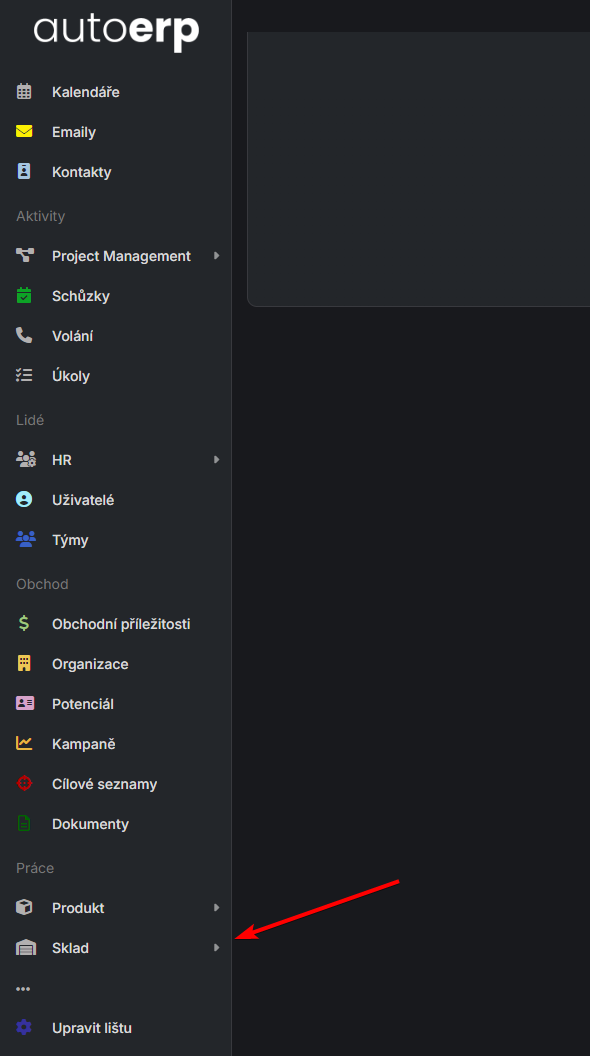
Module Menu
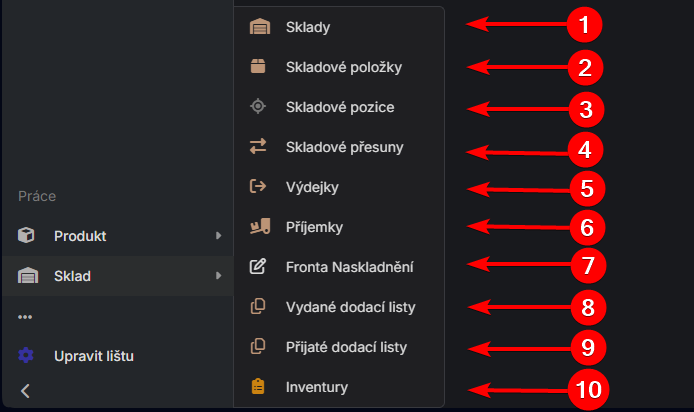
| # | Function | Description |
|---|---|---|
| 1 | Warehouses | Warehouse configuration |
| 2 | Warehouse Items | Stock overview and availability |
| 3 | Warehouse Positions | Physical item locations |
| 4 | Warehouse Transfers | Inter-warehouse movements |
| 5 | Goods Receipts | Incoming material |
| 6 | Goods Issues | Outgoing material |
| 7 | Goods Restock | Stock replenishment planning |
| 8 | Issued Delivery Notes | Outbound shipping documents |
| 9 | Received Delivery Notes | Inbound receipt documents |
| 10 | Physical Inventory | Stock counting |
How the Warehouse System Works
The module uses a double-entry inventory principle:
- Receipt →
Goods ReceiptcreatesWarehouse Item - Issue →
Goods Issueremoves/decrementsWarehouse Item - Reservation → Stock can be reserved before issuing
flowchart LR
    A[Goods Receipt] --> B[Warehouse Item]
    B --> C[Goods Issue]
    B --> D[Reservation]
    D --> C
Integration with Other Modules
- Production - Material consumption (issue) and finished goods receipt
- Sales - Orders generate goods issues
- Purchasing - Supplier orders generate goods receipts
Where to Go Next
Learn how to work with warehouse - receipts, issues, transfers, inventory.
Set up warehouse configuration - warehouses, positions, permissions.
See the field reference - complete data model.
For Administrators
Complete warehouse, product, serial number, and automatic order settings can be found in the administration guide.